
From Excel and scattered files to CH Dispatch.
For Durim Qazimi, a dispatcher with more than 10 years of experience, the daily workflow used to mean moving between spreadsheets, folders and PDF tools.
Durim Qazimi is a dispatcher with more than 10 years of experience. He previously used Excel to track loads and generate carrier invoices, Dropbox or File Explorer folders to organize documents, and separate online PDF-merging tools. CH Dispatch brings those related tasks into one workspace.
A familiar workflow, spread across several tools
Durim's dispatch work involved more than keeping a list of loads. It also meant preparing carrier invoices, finding the correct paperwork and putting documents together for the next step.
| Daily task | Previous tools |
|---|---|
| Track the loads he dispatched | Excel spreadsheets. |
| Generate carrier invoices | Excel. |
| Keep and find load documents | Dropbox or File Explorer folders. |
| Put PDF documents together | Separate online PDF-merging tools. |
Each tool handled a part of the job. The complete workflow meant moving between them to work with the load, invoice and supporting files.
The load, invoice and documents in the same workspace
CH Dispatch connects the operational load record with the paperwork and pay workflows that follow it. Carrier clients, trucks, drivers and loads are organized within the platform, with RateCons and delivery documents kept against the relevant loads.
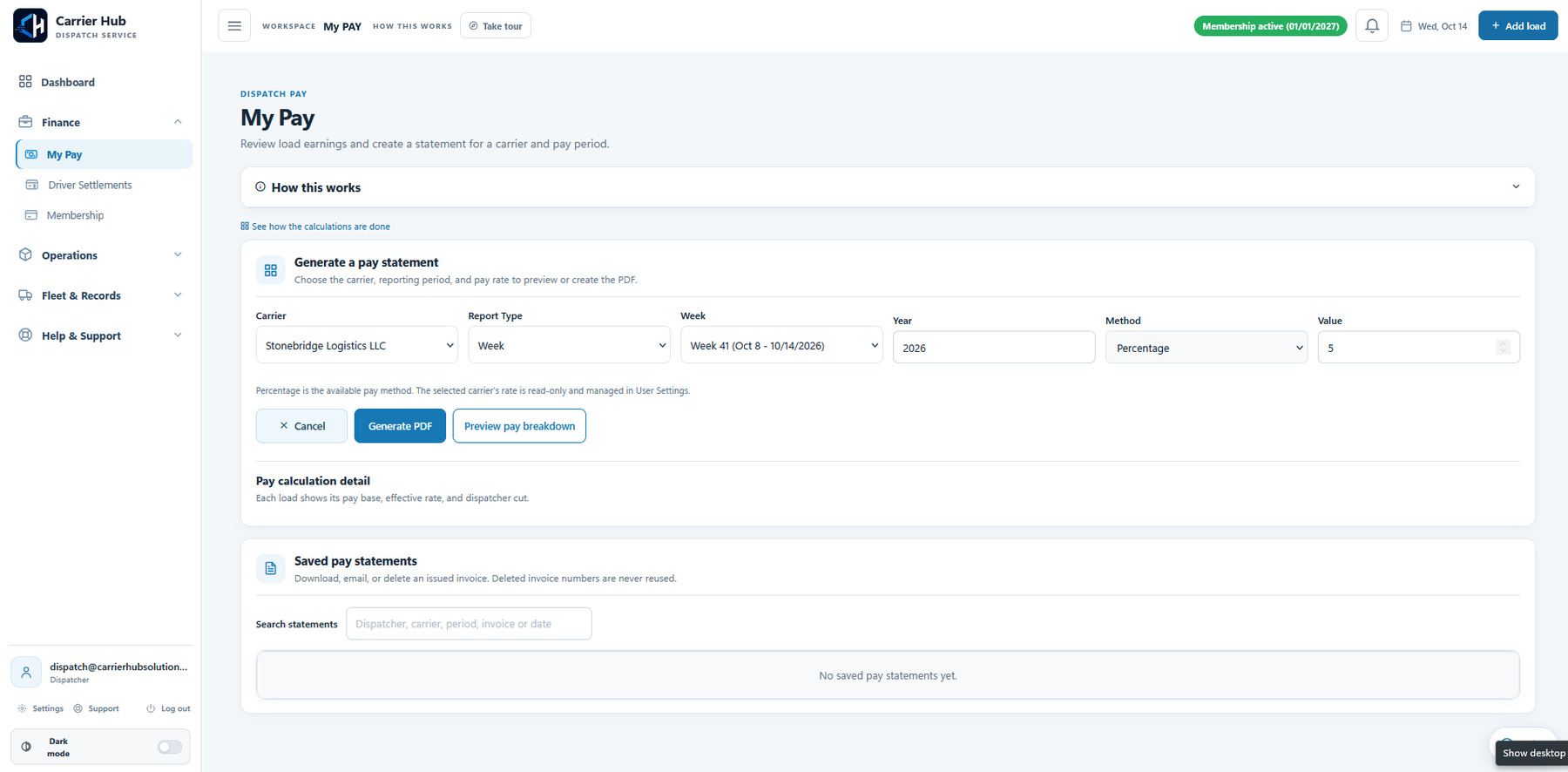
Invoices and My Pay use the selected carrier, pay period and load records to prepare the earnings breakdown and saved PDF. Documents can be reviewed alongside the work they belong to instead of being treated as an unrelated folder of files.
For a practical look at that sequence, read the full CH Dispatch demo walkthrough.
A more connected way to do the daily work
Durim's example reflects the needs of a working dispatcher: keep track of the loads, have the documents available, and prepare the carrier invoice from the same work.
- Loads: keep the carrier, route, assignment, rate and current status together.
- Documents: organize the RateCon, BOL and POD with their load.
- Invoices: review the carrier and pay period, check the earnings and generate the saved document.
The value is the connection between these steps. Review and email remain deliberate actions, with the records available in the same platform.
Start with the way you already dispatch
With more than 10 years in dispatching, Durim's starting point was an established working process. CH Dispatch gives that work a connected workspace for loads, documents and carrier invoices.
If your business currently uses a similar mix of Excel, folders and PDF tools, use the Excel-to-dispatch-software guide to plan a small, practical trial. Confirm the records, pay settings and workflow you need before extending it to the whole operation.
Request the 30-day CH Dispatch trial and our team will confirm activation, login details and trial dates by email. Plan features, capacity and permissions apply.
Questions about this workflow
What dispatching experience does Durim Qazimi have?
Durim Qazimi has more than 10 years of experience as a dispatcher.
Which tools did Durim use before CH Dispatch?
He used Excel for load tracking and carrier invoices, Dropbox or File Explorer folders for documents, and separate online PDF-merging tools.
What does CH Dispatch bring together in this workflow?
It connects carrier clients and loads with their documents, dispatcher pay review and saved carrier invoice documents in one workspace.
Try the workflow for your dispatch business.
Request the trial and our team will email your login details, guide and confirmed dates.