
Carrier Hub NEXT
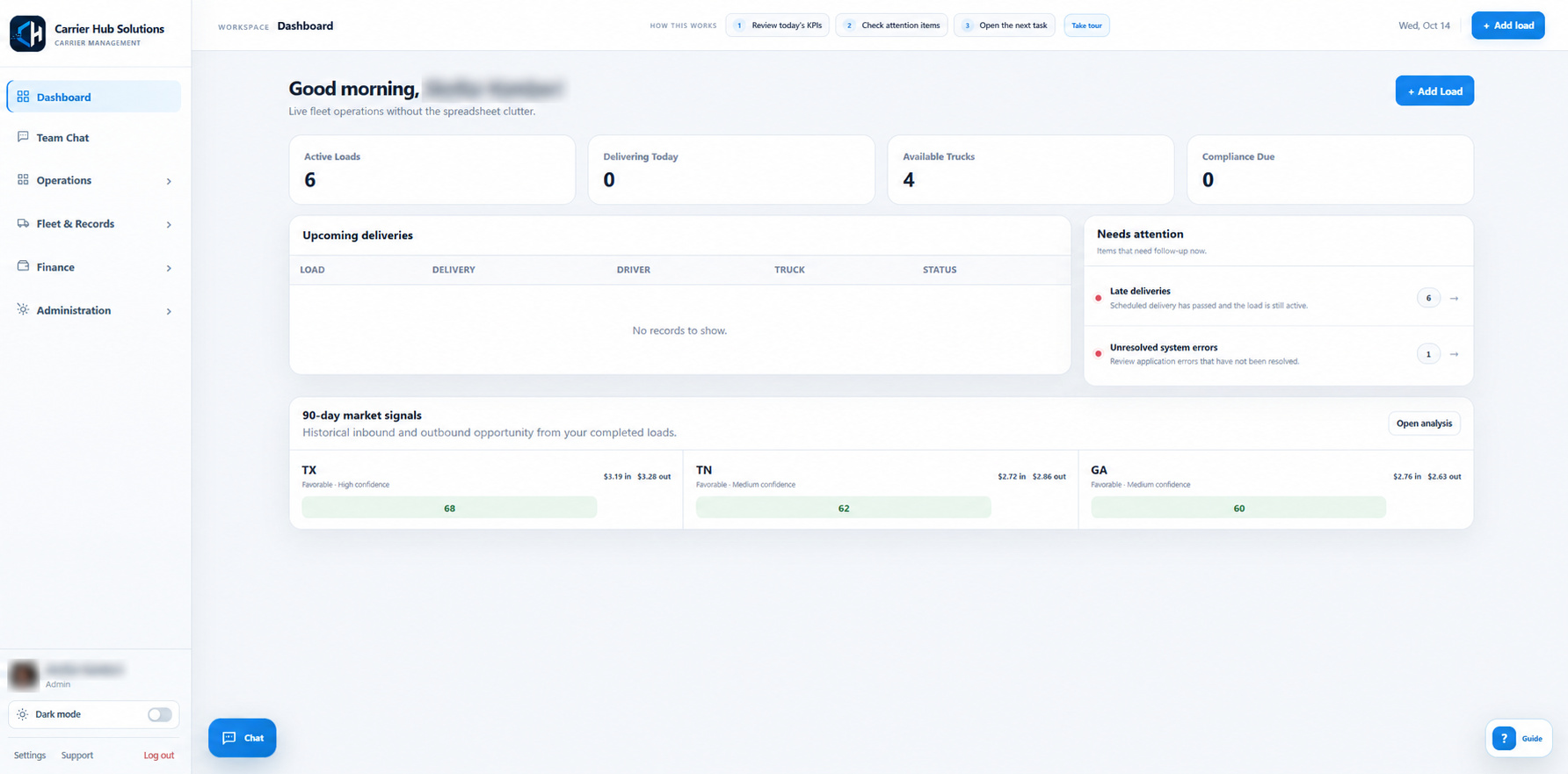
Manage your trucking company with Carrier Hub NEXT
Connect dispatch, drivers, equipment, settlements, invoices, expenses and fleet reports.
Read the trucking company guide →Find practical how-to guides, product walkthroughs, customer stories and updates for Carrier Hub NEXT, CH Dispatch and our trucking services.
Search the library ↓Follow 13 practical guides to loads, PODs, percentage-pay invoices, driver settlements and team setup.
Choose the workflow that matches your business, then see how the platform supports the next step.
Connect dispatch, drivers, equipment, settlements, invoices, expenses and fleet reports.
Read the trucking company guide →
Follow manual and AI load entry, status updates, BOL/POD documents, invoices and driver settlements.
Watch the full demo & read the steps →Create invoices, review driver settlements and dispatcher pay, or open 13 template examples with fictional demo data.
Search by task or filter by platform and content type.
Calculate driver pay per mile, by percentage or at a flat rate. Review eligible miles, revenue, additions and deductions before creating a settlement PDF.
Track trucking cost per mile in Carrier Hub NEXT. Compare total and loaded miles, fuel, maintenance, generated pay and pending costs with revenue per mile.
Mr. Transporter moved from Excel and Dropbox to Carrier Hub NEXT for loads, dispatcher work, invoices, factoring batches, roles and reports.
Eagle US Express brings carrier workflows together in Carrier Hub NEXT, connecting load management, dispatcher work, invoices, factoring batches, roles and reports.
Understand standard company rates, points, bonuses and permissions, and when to discuss a separate company-specific pay calculation.
Learn when the 30-day trial starts, how company setup works, when live support is available and which CSV/PDF downloads you can use today.
Find the software, how-to guide and PDF example for the document you need: freight invoices, dispatch fee invoices, dispatcher pay or driver settlements.
Create a freight invoice from the load record in Carrier Hub NEXT, review approved charges and collect the invoice, RateCon and delivery paperwork in a PDF packet.
Use CH Dispatch’s invoice builder to turn carrier load records and saved pay settings into a dispatch invoice PDF. Review the example, checklist and short tutorial before creating your own.
Prepare a driver pay statement from the selected driver, period, load earnings and adjustments. Compare driver settlement PDFs and choose the platform for your business.
Start with the independent-dispatcher percentage-pay example and tutorial. Then compare dispatch company pay and Carrier Hub NEXT percentage or salary statements.
Bring the operator’s pay agreement and load records together before reviewing the settlement.
Keep the canceled load, approved truck-order-not-used charge and supporting paperwork connected.
Review the schedule and supporting invoice packets together before sharing a factoring batch.
Connect dispatch, drivers, equipment, settlements, invoices, expenses and fleet reports.
Keep each carrier’s loads, drivers, documents and dispatcher earnings connected.
13 practical CH Dispatch videos with written steps for loads, PODs, independent dispatcher invoices, driver settlements and company setup.
Prepare your first independent dispatcher invoice in CH Dispatch: billing details, invoice number, payment terms, carrier percentages and the preview.
Organize trucking load records, RateCons, PODs and billing status in CH Dispatch with Sheet and Cards views, search, filters and connected documents.
See how to create a load using AI RateCon extraction in CH Dispatch. Turn details from your rate confirmation into a load record and keep your dispatch work organized.
See how to create dispatcher invoices in CH Dispatch. Keep your loads and dispatcher billing in one place, and prepare invoices without building them manually in spreadsheets.
See how to create driver settlements in CH Dispatch. Organize driver earnings and deductions, review payment details and generate a clear settlement statement.
Follow manual and AI load entry, status updates, BOL/POD documents, invoices and driver settlements.
Review the carrier, pay period and load-level calculation before creating and sending payment documents.
Plan a practical move from Excel, folders and separate PDF tools to a connected workflow.
Compare license installments, software-use rights, optional maintenance and ongoing running costs.
Check the source document, dates, locations, rates and assignments before saving.
Understand the separate steps for checking records, generating a statement and sending it.
Follow the steps from your first demo request through implementation and team onboarding.
Choose your account type, verify first sign-in and start your 30-day trial.
See how percentage-based dispatching, night shift, after-hours and accounting support fit your operation.
See how the TMS connects fleet loads, drivers, equipment, invoicing and settlements.
A short introduction to carrier clients, load entry, communication and dispatcher earnings.
Explore operational support you can use with your existing software.
Meet Carrier Hub Solutions and the different ways we support trucking businesses.
Take a quick look at the dashboard, load entry and pay screens in both platforms.
How TriDex is collaborating with CH Dispatch on tailored operational, billing and compensation requirements.
A dispatcher with 10+ years of experience brings loads, carrier invoices and documents into one workspace.
Read the published experiences of Mr. Transporter, Ground Up Xpress Lines, ESL Royal Express and Eagle US Express.
Get 24/7 automated guidance, Help Center links and a live-agent handoff in the same conversation.
Try a broader search or choose another product.
Ask the website assistant about products and services, or find the support route for your platform.